

Viewing Event Attendee Reports

Last updated: Oct 05, 2026
56
views

NOTE: If you prefer to watch a video (not as fast), you can find the instructions seen below in video-form HERE.
Find Your Events
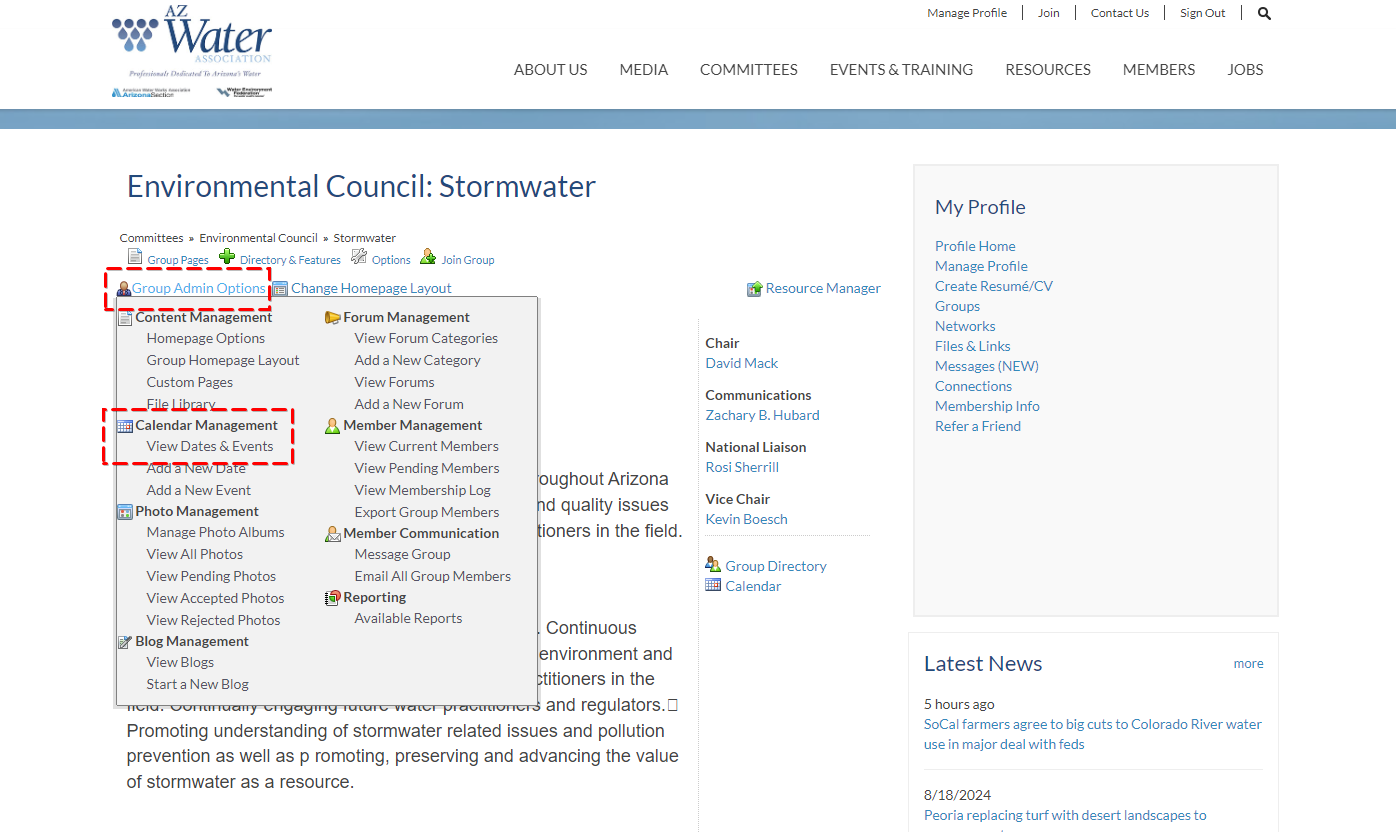
Click on Group Admin Options and then View Dates & Events
Pull up Your Event Attendee Lists
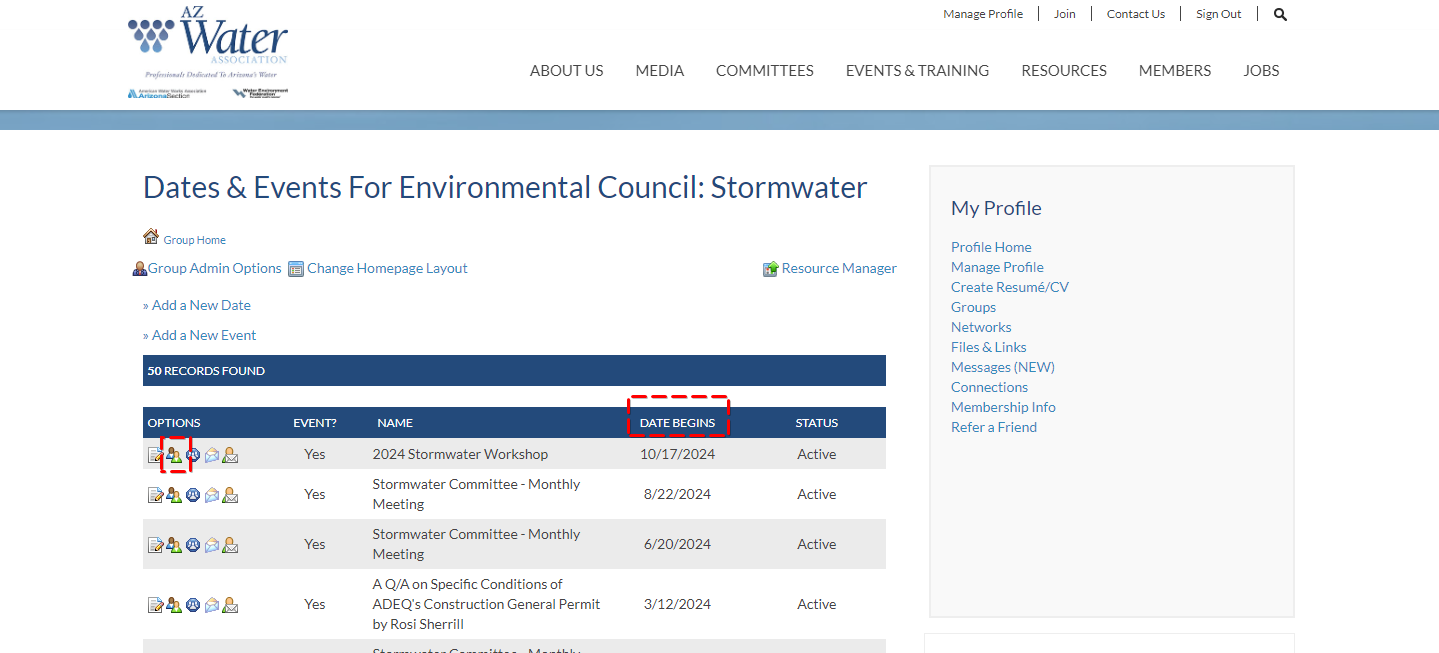
Click DATE BEGINS twice to sort descending/bring the most recent events to the top.
Then click the multi-person Icon circled below.
Download the Appropriate Reports
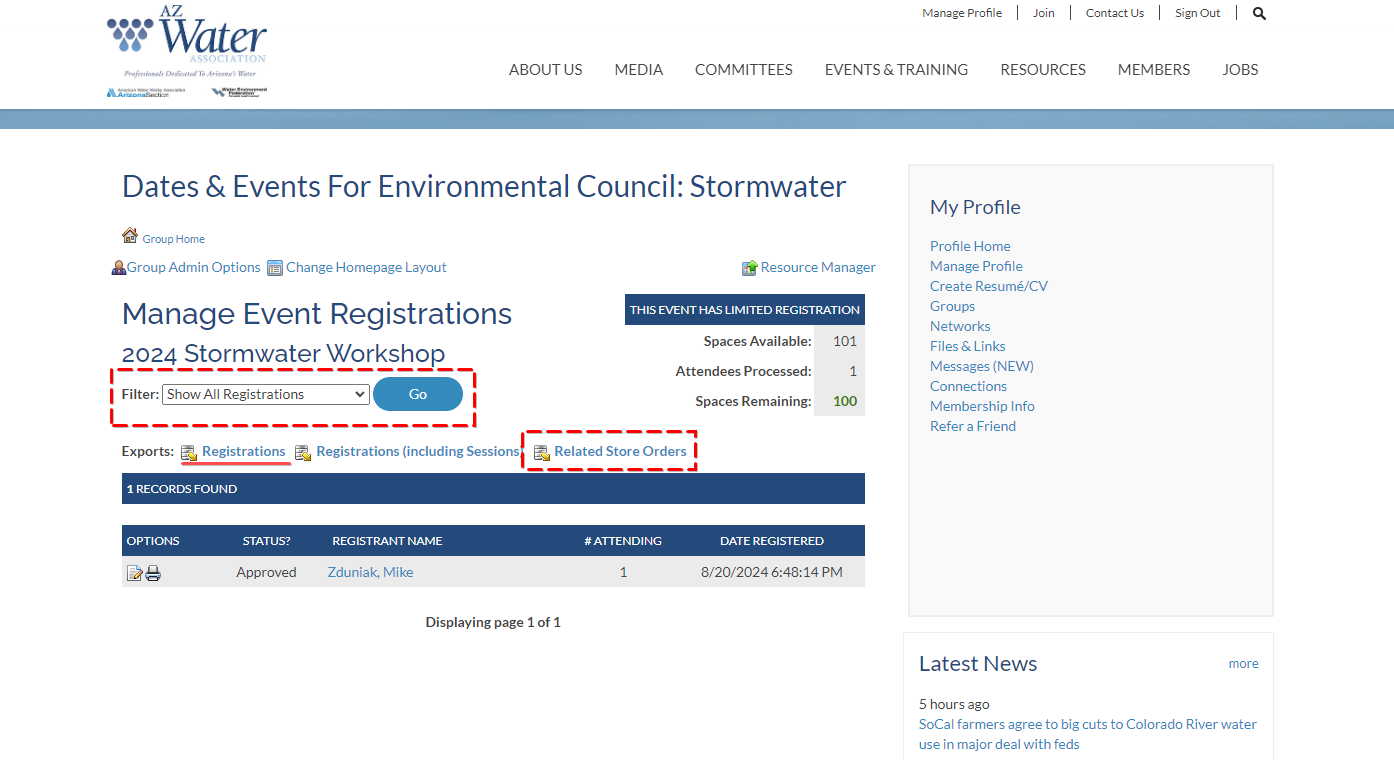
Choose Filter: Show All Registrations and Click Go.
Then click Related Store Orders and a popover will appear. Click Click here to download and the needed CSV (Spreadsheet) file with your attendee info will download.
NOTE: Typically the Related Store Orders report is all the attendee info you will need. HOWEVER, if you requested Custom Registration field info during attendee registration (often Dietary/Meal Req’s, T-shirt Sizes, etc.) OR if your event doesn’t have tickets - you will also need to download the Registrations file underlined below in order to see that info as well.